

Objects and Classes in Python
Updated: Apr 22
Python is an object-oriented programming language, meaning it allows developers to create and manipulate objects. Objects are instances of classes, which act as blueprints for how objects should behave and interact. In this blog, we will explore the fundamentals of objects and classes in Python, breaking down how they work and how to implement them effectively.
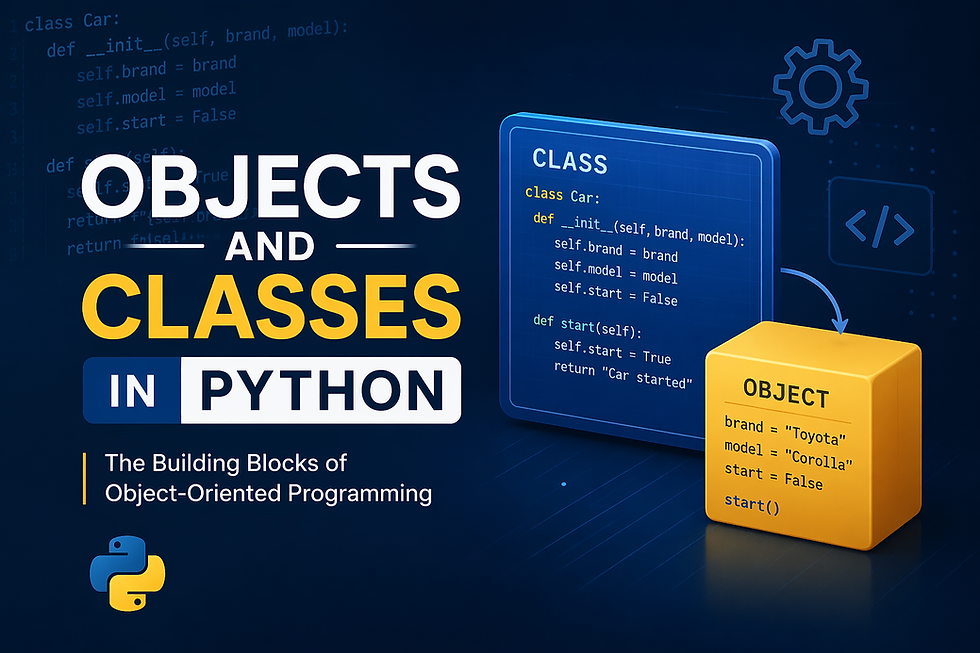
What are Objects and Classes in Python (OOPS)?
Object-Oriented Programming (OOP) in Python is a programming paradigm that revolves around the concept of objects and classes. In OOP, data and functions are bundled into units called objects, which represent real-world entities. Python allows developers to create classes that serve as blueprints for these objects, defining their attributes (data) and methods (functions). Through OOP, Python provides powerful features like inheritance, encapsulation, and polymorphism, enabling code reuse, better organization, and scalability. This approach helps in building complex systems by breaking them down into smaller, manageable components, making code easier to understand, maintain, and extend.
Classes: A class is like a blueprint for creating objects. It defines the properties (attributes) and behaviors (methods) that the objects created from it will have.
Objects: An object is an instance of a class. It’s a self-contained entity that consists of both data (attributes) and methods (functions that manipulate the data).
For example, if we were modeling a car in Python, the Car class would define attributes like color and speed, while the actual cars we create (instances) would be the objects.
Creating a Class in Python
In Python, classes are the foundation of object-oriented programming. They allow you to define structured data along with behavior, making your code more reusable and easier to manage.
Let’s start by creating a simple Car class with some attributes and methods.
class Car:
    # Constructor to initialize the object
    def __init__(self, brand, model, color):
        self.brand = brand  # Instance attribute
        self.model = model  # Instance attribute
        self.color = color  # Instance attribute

    # Method to display car details
    def display_info(self):
        print(f"Car: {self.brand} {self.model}, Color: {self.color}")

    # Method to simulate starting the car
    def start_engine(self):
        print(f"The engine of {self.brand} {self.model} is now running.")
A class is built around a few core ideas that define how an object is created and how it behaves. When a new object is instantiated, the init method runs automatically to set up its initial state by assigning values to attributes like brand, model, and color. These attributes store information specific to each object, allowing every instance to represent something different instead of relying on fixed values. Along with storing data, a class also defines behavior through methods. For example, display_info() lets an object present its details, while start_engine() simulates an action it can perform. All of this works through self, which gives each object access to its own data and methods, making the class a complete blueprint for creating and interacting with objects.
Creating Objects from a Class
Once a class is defined, you can create multiple objects (instances) from it, each with its own set of values. In this example, two objects car1 and car2, are created using the Car class, with different attributes such as brand, model, and color. Even though both objects are based on the same class, they store and manage their own data independently.
# Creating objects
car1 = Car("Toyota", "Corolla", "Red")
car2 = Car("Honda", "Civic", "Blue")

# Calling methods on objects
car1.display_info()
car1.start_engine()

car2.display_info()
car2.start_engine()

Output:
Car: Toyota Corolla, Color: Red
The engine of Toyota Corolla is now running.
Car: Honda Civic, Color: Blue
The engine of Honda Civic is now running.
When methods like display_info() and start_engine() are called, each object responds based on its own data. This is what makes object-oriented programming powerful—one class can be reused to create multiple distinct objects, each behaving according to its own attributes while sharing the same structure and functionality.
Understanding self in Python Classes
The self parameter is a reference to the current object (instance) of the class. It is used to access instance variables and methods. When you create an object, self helps Python differentiate between the attributes and methods of different objects.
In the method definition:
def display_info(self):
	...
self is automatically passed when calling the method on an object.
Class Variables vs Instance Variables
In object-oriented programming, variables inside a class are generally divided into two types based on how they are shared across objects. Instance variables are specific to each object and store data unique to that particular instance. For example, attributes like brand, model, and color belong to individual car objects, which means every object can have different values for them.
On the other hand, class variables are shared across all instances of a class. These variables are defined at the class level and remain the same for every object unless explicitly changed. In the example below, num_of_wheels is a class variable, meaning every car created from the class will have the same number of wheels.
class Car:
    num_of_wheels = 4  # Class variable, shared by all instances

    def __init__(self, brand, model, color):
        self.brand = brand
        self.model = model
        self.color = color

    def display_info(self):
        print(f"Car: {self.brand} {self.model}, Color: {self.color}, Wheels: {Car.num_of_wheels}")
Here, num_of_wheels is a class variable that is shared by all car objects. No matter how many instances we create, num_of_wheels will always be the same unless we modify it at the class level.
car1 = Car("Ford", "Mustang", "Black")
car2 = Car("BMW", "X5", "White")

car1.display_info()  # Output will include 4 wheels
car2.display_info()  # Output will also include 4 wheels

Output:
Car: Ford Mustang, Color: Black, Wheels: 4
Car: BMW X5, Color: White, Wheels: 4
Both objects will display the same number of wheels because that value is defined once at the class level and shared across all instances. This separation between instance-specific data and shared class-level data is what makes classes flexible and efficient to use.
Inheritance in Python
Inheritance allows one class to reuse the properties and methods of another, making code more organized and easier to extend. Instead of rewriting the same logic, a new class can simply build on top of an existing one and add or modify functionality as needed.
In this example, the ElectricCar class inherits from the Car class. This means it automatically gets access to attributes like brand, model, and color, along with methods such as display_info().
class ElectricCar(Car):
    def __init__(self, brand, model, color, battery_size):
        super().__init__(brand, model, color)  # Call the parent class constructor
        self.battery_size = battery_size  # New attribute for ElectricCar

    # Overriding the start_engine method
    def start_engine(self):
        print(f"The electric engine of {self.brand} {self.model} is now running silently.")

    def display_battery(self):
        print(f"The battery size of {self.brand} {self.model} is {self.battery_size} kWh.")
Here, ElectricCar extends the base class by introducing a new attribute, battery_size, and also overrides the start_engine() method to reflect behavior specific to electric vehicles. This is a key concept in object-oriented programming, where a child class can customize or enhance the functionality of its parent class.
electric_car = ElectricCar("Tesla", "Model 3", "Silver", 75)
electric_car.display_info()
electric_car.start_engine()
electric_car.display_battery()

Output:
Car: Tesla Model 3, Color: Silver, Wheels: 4
The electric engine of Tesla Model 3 is now running silently.
The battery size of Tesla Model 3 is 75 kWh.
Even though ElectricCar is a new class, it still uses the shared structure of the parent while adding its own features. This makes the code more reusable and scalable, especially as applications grow in complexity.
Encapsulation and Data Hiding
Encapsulation is the concept of restricting direct access to certain attributes and methods of a class, helping protect the internal state of an object and ensuring controlled interaction through defined methods. Instead of allowing everything to be freely modified from outside, a class manages how its data is accessed and updated.
In practice, Python doesn’t enforce strict access modifiers like some other languages, but it uses naming conventions to indicate intent. A single underscore (_variable) acts as a weak internal-use signal, suggesting that the attribute should not be accessed directly. A double underscore (__variable) applies name mangling, making it harder to access from outside the class and strongly indicating that it is private.
class Car:
    def __init__(self, brand, model, color):
        self._brand = brand  # Weakly private
        self.__engine_status = "off"  # Strongly private

    def start_engine(self):
        self.__engine_status = "on"
        print(f"The engine is now {self.__engine_status}")
In this example, brand is intended for internal use but can still be accessed if needed, while _engine_status is designed to be hidden from direct external access. The only proper way to modify it is through class methods like start_engine(). This approach helps maintain better control over how an object’s data is used and prevents unintended changes from outside the class.
Conclusion
Classes and objects form the foundation of Python’s object-oriented capabilities. With concepts like inheritance, encapsulation, and methods, you can build complex and scalable programs that are easier to maintain and expand. Understanding how to structure your code with classes allows you to model real-world entities and their interactions, making your applications more intuitive and flexible. By mastering objects and classes, you'll be able to write cleaner, more efficient Python code that mirrors real-world concepts. As you continue to explore more advanced topics like polymorphism, decorators, and design patterns, you’ll see how powerful object-oriented programming can be for developing both small scripts and large-scale systems. Whether you're building simple applications or tackling complex machine learning projects, understanding these fundamentals will provide a strong foundation for your Python development journey.


