

A Beginner's Guide to JavaScript Classes
JavaScript is one of the most popular programming languages for building modern web applications, powering everything from interactive websites to large-scale web platforms. As applications grow in complexity, organizing code effectively becomes increasingly important. To address this need, ECMAScript 2015 (ES6) introduced classes, providing a cleaner and more intuitive way to work with objects and implement object-oriented programming (OOP) principles in JavaScript.
Classes serve as blueprints for creating objects, allowing developers to bundle data and functionality into reusable, self-contained units. They make it easier to model real-world entities, promote code reuse, and improve the overall maintainability of applications. While JavaScript's class syntax is built on top of its prototype-based inheritance system, it offers a more familiar and structured approach for developers coming from other object-oriented languages.
In this tutorial, you'll learn the fundamentals of JavaScript classes, including how to create classes and objects, define constructors and methods, work with inheritance, use getters and setters, and leverage modern features such as private fields. By the end, you'll have a solid understanding of how classes work and how they can help you write cleaner, more organized, and scalable JavaScript code.
What Are Classes in JavaScript?
Classes in JavaScript are a template for creating objects, enabling developers to implement object-oriented programming principles. Introduced in ECMAScript 2015 (ES6), classes provide a more structured and readable way to define and manage objects compared to the traditional prototype-based approach. A class encapsulates data (properties) and behaviors (methods) into a single construct, making it easier to model real-world entities. They include key components like constructors, which initialize the object, and methods, which define its behavior. Classes also support inheritance, allowing one class to extend another, promoting code reuse and modular design. Despite their modern syntax, JavaScript classes are syntactic sugar over its prototype-based inheritance model.
Importance of Classes in JavaScript
Classes in JavaScript are a fundamental feature for implementing object-oriented programming (OOP) in web development. They provide a clear and concise way to create and manage reusable, modular code by defining templates for objects. Classes enable developers to encapsulate data (properties) and behavior (methods) within a single unit, making it easier to model real-world entities and interactions. They also simplify inheritance, allowing one class to extend another and promote code reusability. This makes classes particularly valuable for building complex applications with a clean and maintainable architecture. By leveraging classes, developers can enhance readability, reduce redundancy, and ensure more efficient debugging and testing of their code.
Defining a Class
In JavaScript, classes provide a blueprint for creating objects that encapsulate data (properties) and behavior (methods). Classes are defined using the class keyword, followed by the class name and a set of curly braces {} containing its definition. Here's an example:
class Person {
  // Constructor method
  constructor(name, age) {
    this.name = name; // Property
    this.age = age;   // Property
  }

  // Method
  greet() {
    console.log(`Hello, my name is ${this.name} and I am ${this.age} years old.`);
  }
}

// Create an instance of the class
const person1 = new Person("Alice", 30);
person1.greet(); // Output: Hello, my name is Alice and I am 30 years old.
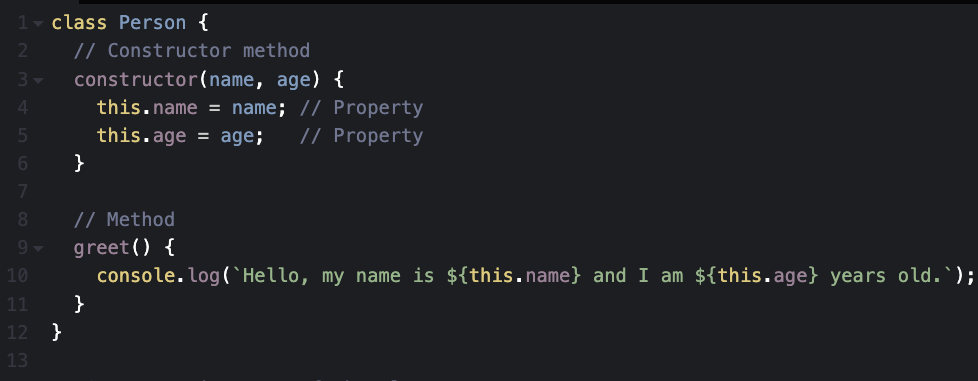
The provided code demonstrates the definition and usage of a class in JavaScript. The Person class serves as a blueprint for creating objects with properties and methods. It includes a special constructor method that initializes the name and age properties when a new instance of the class is created. The greet method is defined within the class to access these properties and display a personalized message. An instance of the class, person1, is created using the new keyword, passing "Alice" and 30 as arguments to the constructor. This initializes the instance's name and age properties. When the greet method is called on person1, it outputs a message to the console, demonstrating how classes encapsulate data and behavior for reusable and organised code.
A Typical Class consists of following key components:
A typical JavaScript class is made up of several key components that define its structure and behavior. Let’s break down each part to understand how classes work in practice.
1. Constructor
The constructor method is a special method used for initialising objects created by the class. It runs automatically when a new instance is created.
2. Methods
Classes can have methods that define the behaviour of objects.
class Calculator {
  add(a, b) {
    return a + b;
  }
}

const calc = new Calculator();
console.log(calc.add(5, 3)); // Output: 8
3. Static Methods
Static methods belong to the class itself rather than instances of the class. They are defined using the static keyword.
class MathUtils {
  static square(number) {
    return number * number;
  }
}

console.log(MathUtils.square(4)); // Output: 16
Inheritance in JS Classes
Inheritance is one of the most powerful features of object-oriented programming, allowing one class to inherit properties and methods from another. In JavaScript, class inheritance is implemented using the extends keyword, which enables developers to create specialized classes based on existing ones. This promotes code reuse, reduces duplication, and makes applications easier to organize and maintain.
In the example below, the Animal class acts as a parent class that contains common functionality shared by all animals. It includes a constructor for initializing the name property and a speak() method that outputs a generic message. The Dog class then extends Animal, inheriting its properties and behavior while overriding the speak() method to provide functionality specific to dogs.
class Animal {
  constructor(name) {
    this.name = name;
  }
  speak() {
    console.log(`${this.name} makes a sound.`);
  }
}

class Dog extends Animal {
  speak() {
    console.log(`${this.name} barks.`);
  }
}

const dog = new Dog("Buddy");
dog.speak(); // Output: Buddy barks.
Let's break down what happens here. The Animal class defines a constructor that stores the animal's name and a speak() method that represents a generic animal sound. When the Dog class is declared using the extends keyword, it automatically inherits these features from Animal. Since the Dog class does not define its own constructor, JavaScript uses the constructor from the parent class, allowing the name property to be initialized without any additional code.
The Dog class also overrides the inherited speak() method. Method overriding allows a child class to provide its own implementation of a method that already exists in the parent class. As a result, when dog.speak() is called, JavaScript executes the version defined in the Dog class rather than the one in Animal, producing the output "Buddy barks."
This simple example demonstrates how inheritance helps create a logical relationship between classes. The Dog class reuses the common functionality provided by Animal while introducing behavior that is unique to dogs. As applications grow larger, inheritance becomes an effective way to build reusable, maintainable, and well-structured code by organizing related objects into a clear hierarchy.
Getters and Setters in JS Classes
JavaScript classes provide getters and setters as a convenient way to control how properties are accessed and updated. A getter allows a value to be computed and retrieved as though it were a regular property, while a setter enables custom logic to run whenever a value is assigned. Together, they help create cleaner and more intuitive class interfaces while keeping related logic encapsulated within the class itself.
class Rectangle {
  constructor(width, height) {
    this.width = width;
    this.height = height;
  }

  get area() {
    return this.width * this.height;
  }

  set dimensions({ width, height }) {
    this.width = width;
    this.height = height;
  }
}

const rect = new Rectangle(5, 10);
console.log(rect.area); // Output: 50

rect.dimensions = { width: 7, height: 14 };
console.log(rect.area); // Output: 98
The Rectangle class stores the width and height of a rectangle and exposes an area getter that calculates the area whenever it is accessed. Rather than calling a method such as getArea(), the calculated value can be retrieved using simple property syntax, making the code more readable and expressive.
The class also defines a dimensions setter that updates both the width and height through a single assignment. This approach groups related updates together and provides a centralized location for handling changes to the object's state. As the dimensions change, the area automatically reflects the latest values because it is calculated dynamically each time the getter is accessed.
Getters and setters are particularly useful when working with derived values, validation rules, or property transformations. They allow developers to maintain a clean API for their classes while preserving full control over how data is read and modified behind the scenes.
Private Fields and Methods
Modern JavaScript classes support private fields and methods, providing a built-in mechanism for data hiding and encapsulation. Introduced in ES2022, private members are prefixed with the # symbol and can only be accessed from within the class where they are declared. This prevents external code from directly reading or modifying internal data, helping developers create more secure and maintainable applications.
class BankAccount {

  #balance = 0; // Private field

  deposit(amount) {
    this.#balance += amount;
    console.log(`Deposited ${amount}. New balance: ${this.#balance}`);
  }

  getBalance() {
    return this.#balance;
  }
}

const account = new BankAccount();
account.deposit(100); // Output: Deposited 100. New balance: 100
console.log(account.getBalance()); // Output: 100
The BankAccount class maintains its account balance using the private field #balance. Because this field is private, it cannot be accessed or modified directly from outside the class. Instead, all interactions with the balance must occur through the public methods provided by the class.
The deposit() method updates the balance by adding the specified amount, while getBalance() returns the current balance in a controlled manner. This design ensures that the internal state of the object remains protected and can only be modified through predefined operations.
One of the key benefits of private fields is that they enforce encapsulation at the language level rather than relying solely on developer conventions. Attempting to access account.#balance from outside the class would result in a syntax error, preventing accidental or unauthorized modifications to the object's internal data.
As applications become more complex, private fields and methods help maintain clear boundaries between a class's public interface and its internal implementation. This leads to more robust, predictable, and easier-to-maintain code by ensuring that sensitive data remains accessible only where it is intended to be used.
Conclusion
JavaScript classes bring structure and clarity to object-oriented programming by providing a straightforward way to create objects, define behavior, and organize related functionality. Throughout this guide, you've explored the core concepts of classes, including constructors, methods, inheritance, getters, setters, static members, and private fields. Together, these features make it easier to model real-world entities, reduce code duplication, and build applications that are easier to maintain and extend.
As you continue working with JavaScript, classes will become an essential tool for designing scalable and reusable code. Understanding how to encapsulate data, share functionality through inheritance, and protect internal state with private members allows you to write more robust and professional applications. With a solid grasp of these fundamentals, you'll be well-prepared to tackle larger projects and take full advantage of modern JavaScript's object-oriented capabilities.


