

JavaScript Exception Handling: A Complete Guide to try, catch, finally, and Error Management
Updated: Mar 6
Errors are an unavoidable part of programming. Even well-written applications can encounter unexpected situations such as invalid user input, failed API requests, or runtime issues that interrupt normal execution. If these errors are not handled properly, they can cause applications to crash or behave unpredictably.
JavaScript provides built-in mechanisms that allow developers to detect, manage, and respond to these issues in a structured way. Through exception handling techniques such as try, catch, and finally, developers can control how their programs react when something goes wrong and ensure the application continues functioning in a stable manner.
In this guide, we will explore how exception handling works in JavaScript, why it is important, and how developers can implement effective error management strategies. You will also learn practical techniques for handling runtime errors, validating user input, managing API failures, and following best practices that make JavaScript applications more stable and maintainable.
What is Exception Handling in JavaScript?
Exception handling in JavaScript refers to the process of detecting and managing errors that occur during program execution. Instead of allowing a script to crash when something goes wrong, developers can control how the application responds to these issues.
JavaScript provides mechanisms that allow developers to catch and manage runtime errors in a structured way. This helps applications continue running or fail gracefully instead of stopping unexpectedly.
Implementing exception handling improves application stability and helps developers anticipate potential failures. It also allows meaningful error messages to be logged, making debugging easier and enabling developers to identify the root cause of issues more efficiently.
Why is Error Handling Important?
Error handling plays a crucial role in building reliable software. Every program encounters unexpected situations such as invalid input, system limitations, or logical mistakes. Proper error management ensures that these situations do not disrupt the entire application.
Without error handling, even a small issue can cause a program to terminate abruptly. Effective error management helps maintain system reliability and ensures smoother program execution. Key benefits of error handling:
Enhanced User ExperienceGraceful error handling prevents applications from crashing unexpectedly and ensures users receive meaningful feedback instead of confusing failures.
Improved Program StabilityStructured error management prevents unpredictable program behavior and keeps applications running smoothly.
Easier DebuggingProper error handling allows developers to capture and report errors in a controlled way, making it easier to identify and fix problems.
Data IntegrityHandling errors correctly helps prevent invalid or corrupted data from being processed or stored within the system.
Common Error Handling Techniques
Modern JavaScript development relies on several techniques to manage errors effectively. These techniques help developers detect problems early and respond appropriately during program execution.
Try–Catch Blocks
Try–catch structures provide a controlled way to execute code that might produce errors.
try encloses the code that could generate an exception.
catch runs if an error occurs inside the try block and allows the program to respond to the issue.
finally is an optional block that executes after try and catch regardless of the outcome, often used for cleanup tasks.
Error Objects
Error objects represent specific runtime problems and contain useful information about failures.
They include details such as error messages and error types.
Developers can use them to generate meaningful feedback during debugging.
Custom errors can also be created to represent application-specific issues.
Assertion Statements
Assertions are used to verify that certain conditions remain true during program execution.
They help detect logical mistakes in the code.
If a condition evaluates to false, an assertion error indicates a potential bug.
Assertions are commonly used during development and testing to identify issues early.
Logging
Logging involves recording errors and important events during program execution.
Error messages and system behavior can be stored for analysis.
Logs help developers trace failures and understand what happened before an issue occurred.
Proper logging is essential for debugging large applications where errors may not appear directly in the interface.
Programs rarely behave perfectly in the real world. Good developers plan for failure, capture it, and keep the system functioning.
The try...catch Syntax in JavaScript
The try...catch block is the most widely used structure for handling exceptions in JavaScript. It allows developers to isolate sections of code that may produce runtime errors and define how those errors should be handled. Instead of letting the program terminate unexpectedly, this structure captures the error and allows the application to respond in a controlled way.
Using try...catch improves application stability and prevents small problems from crashing the entire script. It also helps developers manage failures more effectively and produce clearer debugging information when something goes wrong.
Syntax Structure
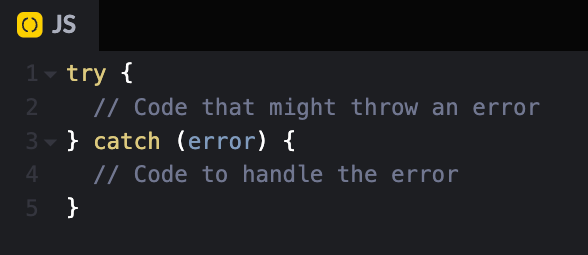
The basic structure of a try...catch block in JavaScript follows this pattern:
try {
  // Code that might throw an error
} catch (error) {
  // Code to handle the error
}
The try block contains the code that the program attempts to execute. Developers place operations inside this block that might potentially produce an exception during runtime. If the code runs successfully, the program continues executing normally. If an error occurs, JavaScript immediately stops executing the remaining statements inside the try block and transfers control to the catch block.
The catch block executes only when an error occurs inside the try block. Its role is to handle the exception in a controlled manner. When the catch block runs, it receives an error object that contains information about what went wrong. Developers can use this block to display error messages, log debugging information, or perform recovery actions so the rest of the application continues functioning.
The error object provides useful details about the exception that occurred. It contains information such as the name of the error, a descriptive message explaining the issue, and a stack trace that shows where the error originated in the program. These details make debugging easier and help developers quickly identify the root cause of problems. An example of try...catch in JavaScript:
try {
  let result = 10 / 0; // No error
  console.log(result);

  JSON.parse("{invalidJson}"); // This will throw an error
} catch (error) {
  console.error("An error occurred:", error.message);
}
In this example, the program attempts to execute multiple operations inside the try block. When JavaScript tries to parse invalid JSON, it throws an error. Instead of terminating the entire script, the catch block captures the error and prints a clear message. This allows the program to handle the issue gracefully instead of crashing.
Throwing Your Own Exceptions
Throwing your own exceptions in JavaScript allows you to handle specific error conditions and communicate them effectively within your code. In the example provided, the divide function checks if the denominator (b) is zero. If it is, the function throws a custom error using throw new Error("Division by zero is not allowed.");. This stops the execution of the function and sends the error to be handled. The try block is used to execute the function, and if an exception occurs, the catch block captures the error. Inside the catch block, the error's message is logged with a custom prefix, "Custom Error:". This approach helps in maintaining code reliability and provides meaningful feedback when invalid conditions occur. An example of this would be :
function divide(a, b) {
  if (b === 0) {
    throw new Error("Division by zero is not allowed.");
  }
  return a / b;
}

try {
  console.log(divide(10, 0));
} catch (error) {
  console.error("Custom Error:", error.message);
}
The finally Block in JavaScript
The finally block is used to execute code after the try and catch blocks have finished running. Its defining characteristic is reliability. The code inside the finally block executes regardless of the outcome of the try block. It runs if an error occurs, and it also runs if no error happens at all.
This makes the finally block useful for tasks that must always occur after a particular operation. Developers often use it for cleanup activities such as closing files, releasing resources, resetting application states, or logging completion messages.
By ensuring that important follow-up actions always execute, the finally block helps maintain consistency and stability in an application.
The typical structure of a try–catch–finally statement in JavaScript looks like this:
try {
  // Code that might throw an error
} catch (error) {
  // Code to handle the error
} finally {
  // Code that will always run
}
The finally block executes after the try and catch blocks complete their execution. If the code in the try block runs successfully without throwing an error, the finally block still executes afterward. If an error occurs and the catch block handles it, the finally block runs once the catch block finishes.
This predictable behavior makes finally especially useful for cleanup operations that should not depend on the success or failure of the main logic. An example of the finally block is given below:
try {
  console.log("Trying...");
  throw new Error("Oops!");
} catch (error) {
  console.error("Caught an error:", error.message);
} finally {
  console.log("This will always run.");
}
In this example, the try block deliberately throws an error. The catch block captures and logs the error message. After that process completes, the finally block runs and prints a message. Even if no error had occurred, the finally block would still execute.
Common Use Cases of Exception Handling
Exception handling plays a critical role in building reliable and user-friendly applications. It allows developers to anticipate potential problems and manage them during runtime instead of letting the application crash unexpectedly.
By catching and handling errors at the right time, developers can maintain smooth functionality, protect application data, and ensure the system behaves predictably even when something goes wrong.
Effective exception handling also improves the overall user experience because users receive meaningful responses instead of abrupt failures. Here are some scenarios where exception handling is commonly used:
Handling API Errors
Modern web applications frequently rely on APIs to retrieve data from external services. These APIs may provide user data, product information, weather updates, or any other dynamic content required by an application. Since API communication depends on networks and external systems, failures can occur for several reasons.
When working with APIs in JavaScript, developers typically use asynchronous functions to request data. These operations may fail during different stages of the request lifecycle. For example, the server might return an unsuccessful status code, or the request itself might fail due to connectivity issues.
To manage these situations, error handling mechanisms are used to capture problems during the request and provide a fallback response or meaningful error message.
The process usually involves sending the request, checking the response status, processing the returned data, and capturing any errors that occur during these steps.
async function fetchData(url) {
  try {
    let response = await fetch(url);
    if (!response.ok) {
      throw new Error(`HTTP error! status: ${response.status}`);
    }
    let data = await response.json();
    console.log(data);
  } catch (error) {
    console.error("Failed to fetch data:", error.message);
  }
}

fetchData("https://api.example.com/data");
Validating User Input
User input is one of the most common sources of errors in software applications. People may enter incorrect data types, incomplete information, or values that fall outside the expected range. Without proper validation, these issues can cause programs to behave unpredictably or even crash.
Exception handling helps developers detect invalid input and respond to it in a controlled way. Instead of letting incorrect data move through the system, the program can stop the operation, display a clear error message, and guide the user toward providing valid information.
By combining validation checks with exception handling, developers can ensure that applications process only correct and meaningful data.
function validateAge(age) {
  try {
    if (isNaN(age)) {
      throw new Error("Age must be a number.");
    }
   if (age < 18) {
      throw new Error("You must be 18 or older.");
    }
    console.log("Age is valid.");
  } catch (error) {
    console.error("Validation Error:", error.message);
  }
}

validateAge("abc");
Best Practices for Exception Handling in JavaScript
Effective exception handling plays an important role in building reliable and maintainable applications. When errors are handled properly, programs become easier to debug, more stable in production environments, and far less frustrating for users.
Following a few best practices helps developers avoid messy error-handling logic and ensures that applications respond to unexpected situations in a controlled and predictable way. These practices focus on writing clear, maintainable code while ensuring errors are detected and managed efficiently.
Be Specific with Error Handling
When handling exceptions, it is important to identify the exact type of error instead of relying on a generic catch-all approach. Different types of errors often require different responses, and handling them specifically helps developers address problems more accurately.
For example, a type-related issue should be handled differently from a network or reference error. By checking the error type, developers can provide clearer messages and apply more precise fixes when debugging.
try {
  // Specific error handling
} catch (error) {
  if (error instanceof TypeError) {
    console.error("Type Error:", error.message);
  } else {
    console.error("General Error:", error.message);
  }
}
Handling errors with this level of detail improves code readability and makes troubleshooting far easier.
Avoid Using Exceptions for Flow Control
Exceptions should be used for unexpected situations, not for controlling normal application logic. Relying on exceptions for regular program flow can make code harder to understand and reduce performance.
Instead, developers should rely on logical conditions and validations for expected scenarios. Exceptions should be reserved for situations where something truly unusual or unintended occurs during execution.
Keeping this separation makes code cleaner and easier to maintain.
Log Errors for Debugging
Logging errors is an essential practice in modern software development. When an error occurs, recording useful information about the issue helps developers understand what happened and trace the problem back to its origin.
Well-structured logs often include error messages, timestamps, and contextual details about the operation being performed. This information becomes extremely valuable during debugging, especially in large applications where problems may occur deep inside the system.
Without proper logging, developers often end up guessing the cause of failures.
Graceful Degradation
Graceful degradation refers to the ability of an application to continue functioning even when part of the system fails. Instead of crashing completely, the application provides alternative behavior or fallback functionality.
For example, if a network request fails, the application might display cached data or show a user-friendly message explaining the issue. This approach keeps the application usable and prevents users from encountering abrupt failures.
Designing systems with graceful degradation ensures that minor problems do not escalate into major disruptions.
Conclusion
Exception handling in JavaScript is an essential skill that helps you write robust and reliable applications. By using try...catch, finally, and the throw keyword, you can catch errors gracefully and ensure your application continues running smoothly. Proper error management not only enhances the user experience but also makes debugging and maintaining your codebase much easier.
Additionally, exception handling empowers developers to anticipate potential issues and design applications that degrade gracefully under failure conditions. Whether you’re fetching data from an API, validating user inputs, or handling critical errors in your application logic, mastering exception handling will help you create more resilient and professional software.
Remember to apply best practices to make your code clean, efficient, and maintainable. Exception handling is not just about fixing errors—it's about writing code that gracefully adapts to unforeseen situations and keeps your application stable.


